Android ready — built for the real world

How Vortech Works

From lead entry to automated payouts — see how our smart dispatch system gives you total control, reduces chaos, minimizes overhead and maximizes your revenue.

Explore the Flow → Sign Up Now →
Step 01

Smart Tier Dispatch — Built for Speed

The system dispatches based on priority tiers you define. Built to prioritize your best technicians first.

🥇
Platinum Tier
30-second exclusive window to accept
🥈
Gold Tier
Receives lead if Platinum doesn't respond
🥉
Silver Tier
Final fallback for maximum coverage

You decide who is Primary, First Fallback, and Second Fallback. Control your revenue flow.

Vortech tiered dispatch — Platinum Gold Silver technician routing system
Step 02

Specialist Routing — Precision Targeting

If a lead is marked "Specialist Only", it is sent exclusively to technicians you've designated as Specialists.

  • You decide who qualifies as Specialist
  • High-value or complex jobs go to selected pros only
  • No randomness. No chaos. Just control.
Vortech specialist-only job routing — precision targeting for high-value leads
Step 03

Technician Experience — Uber-Style Simplicity

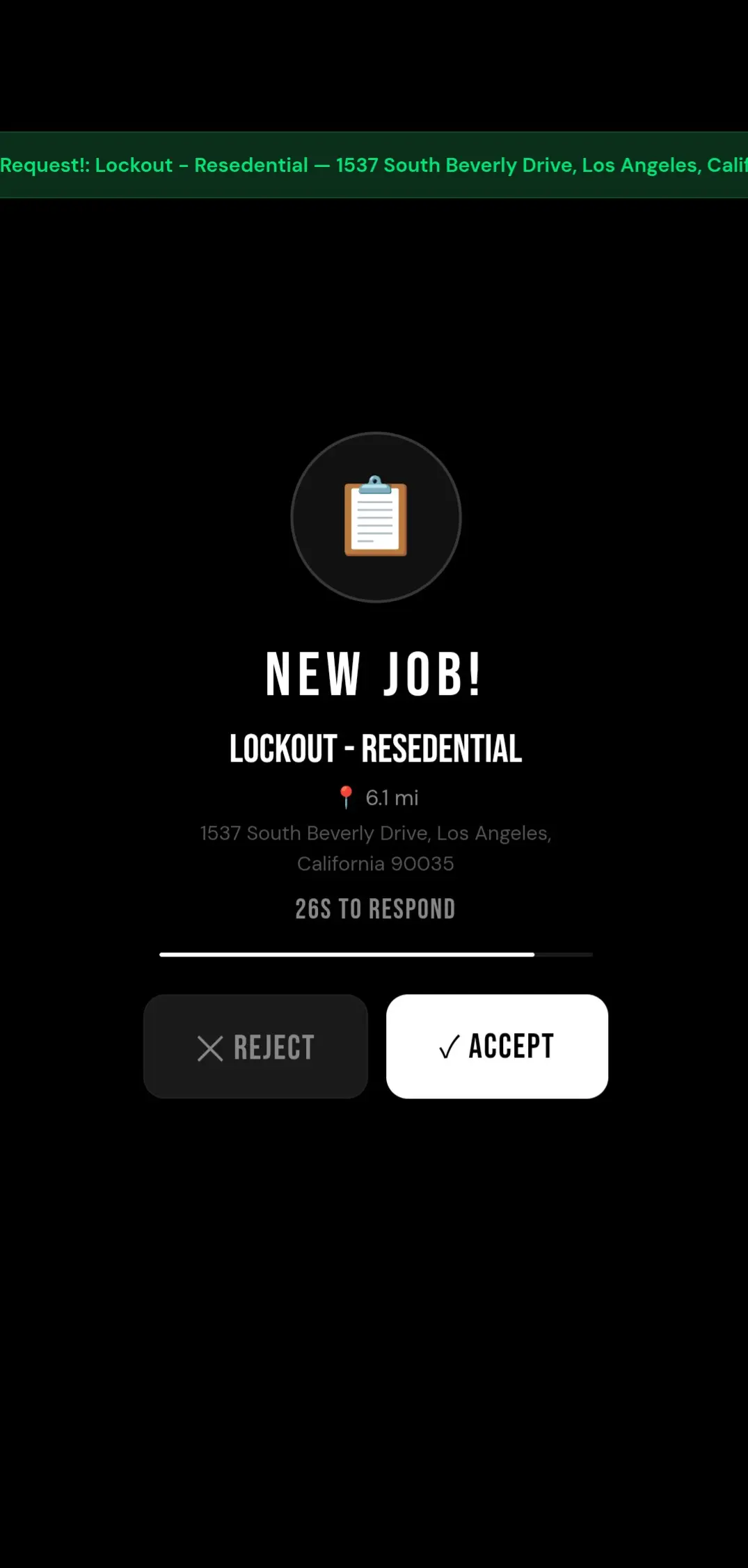
When a technician receives a job, the experience is fast, intuitive, and impossible to miss.

  • 🔊 Loud notification ping sounds (like Uber)
  • 📅 Technician sees the job type, distance, and if it's NOW or scheduled
  • ✅ Press Accept to claim the job
  • 📞 Tap Call Client to reach the customer
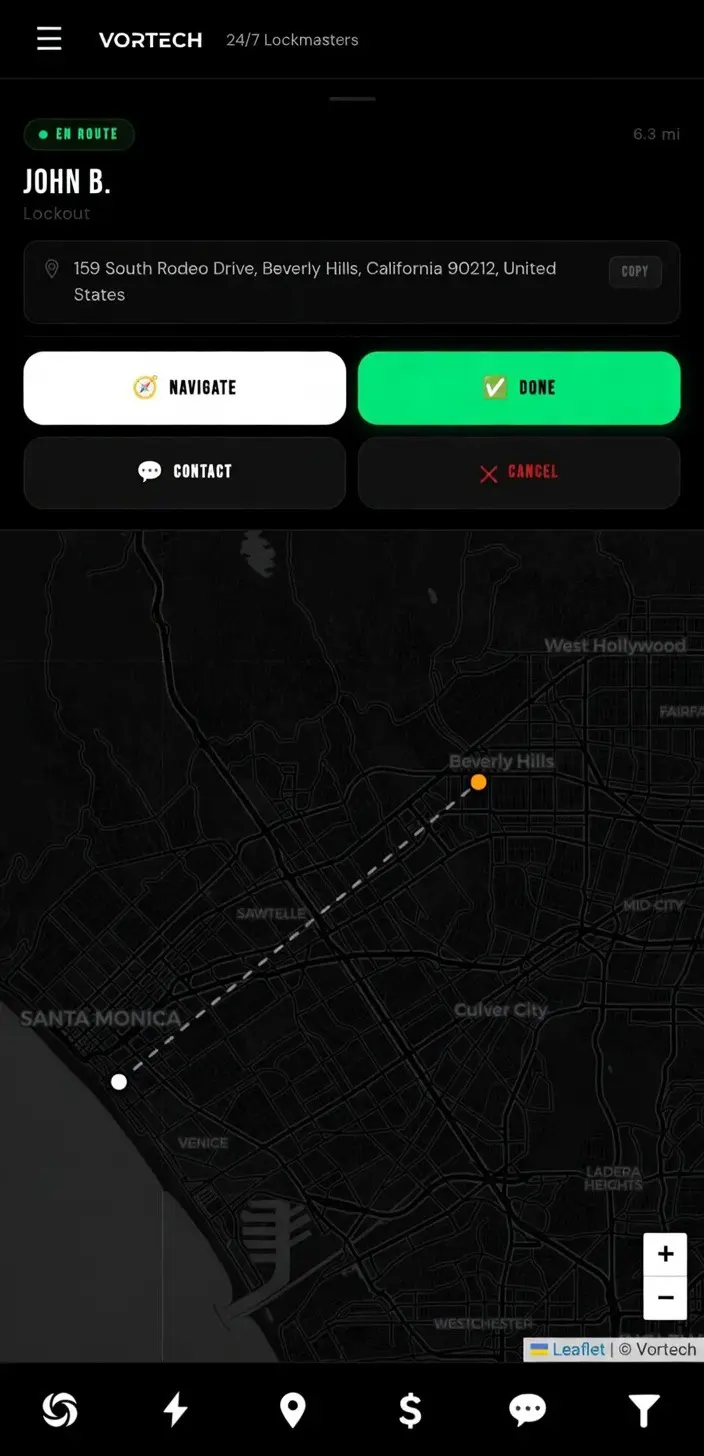
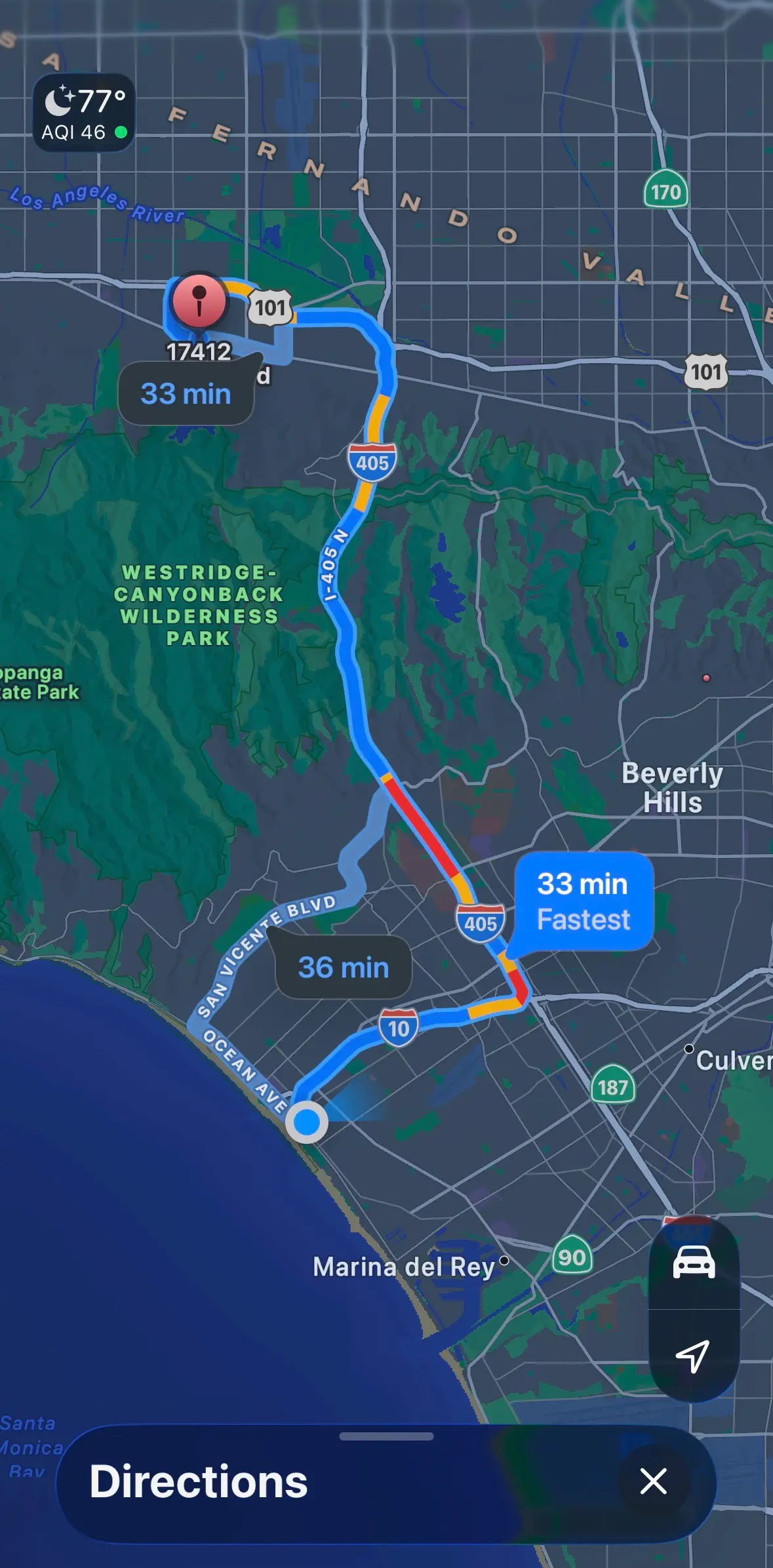
  • 🗺️ Press Navigate and start driving

Fast. Simple. Zero confusion.

Vortech technician job alert — Uber-style notification with accept button
Step 04

Charge the Card — Right There on the Job

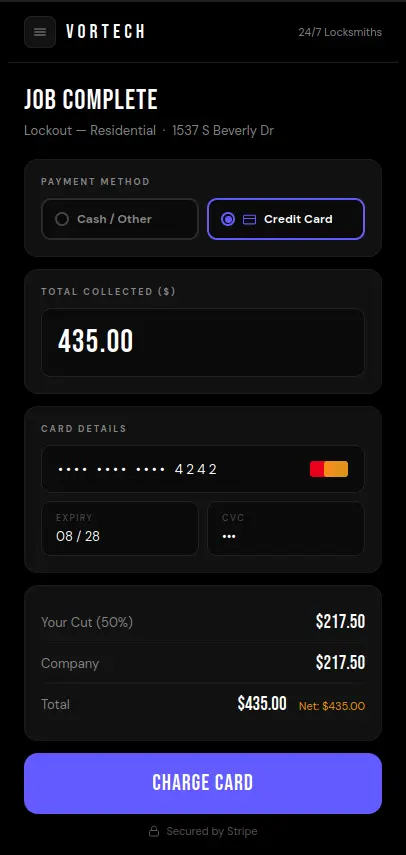
At job completion, the technician selects the payment method. If the customer is paying by card, the Stripe payment form opens directly in the app — no external terminal needed.

  • Select Credit Card at job completion — Stripe form opens instantly
  • Customer taps, swipes, or enters card details on the tech's phone
  • Payment processes in seconds — funds go straight into your Stripe account
  • Revenue split calculated automatically on the charged amount
  • Cash / Other option always available — card is never forced
  • Tech sees confirmation, job is marked done

No terminal. No third-party app. Just tap and done.

Vortech Stripe payment — technician charges customer credit card in the field
Step 05

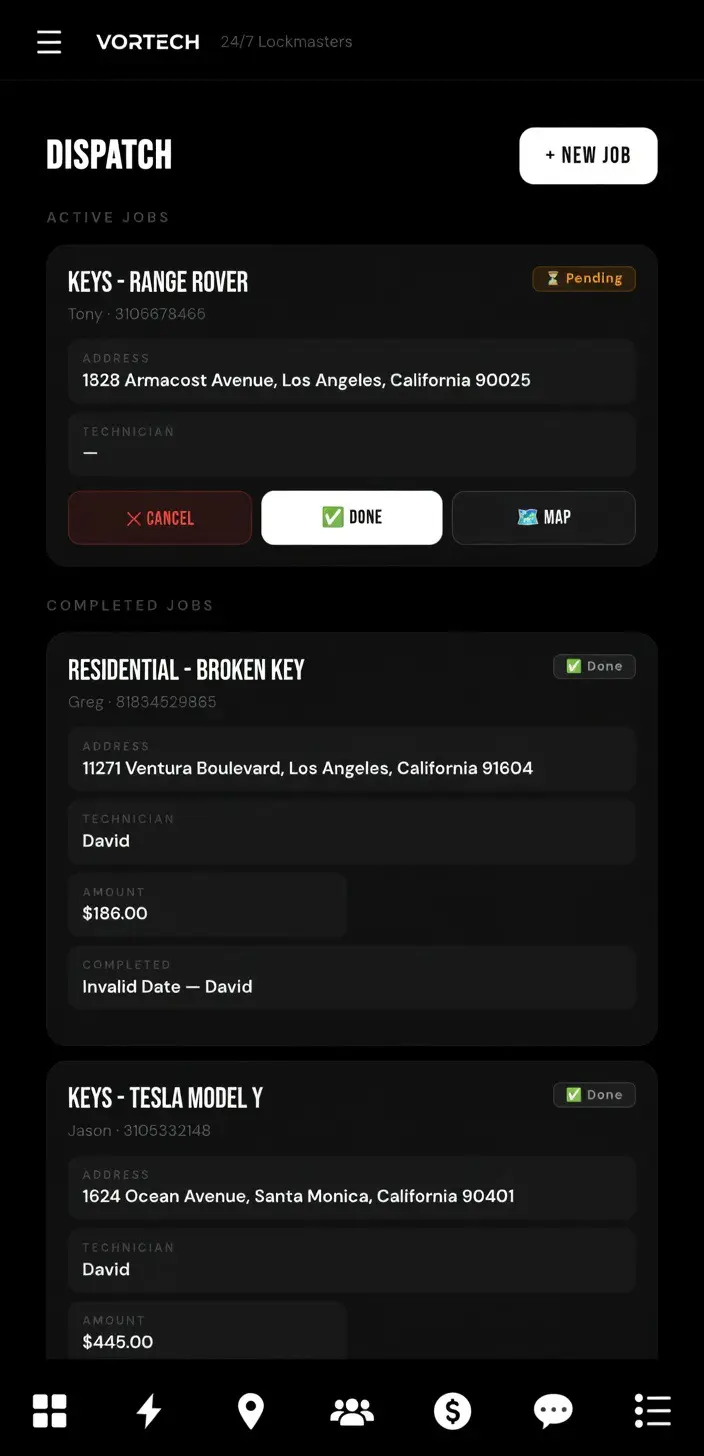
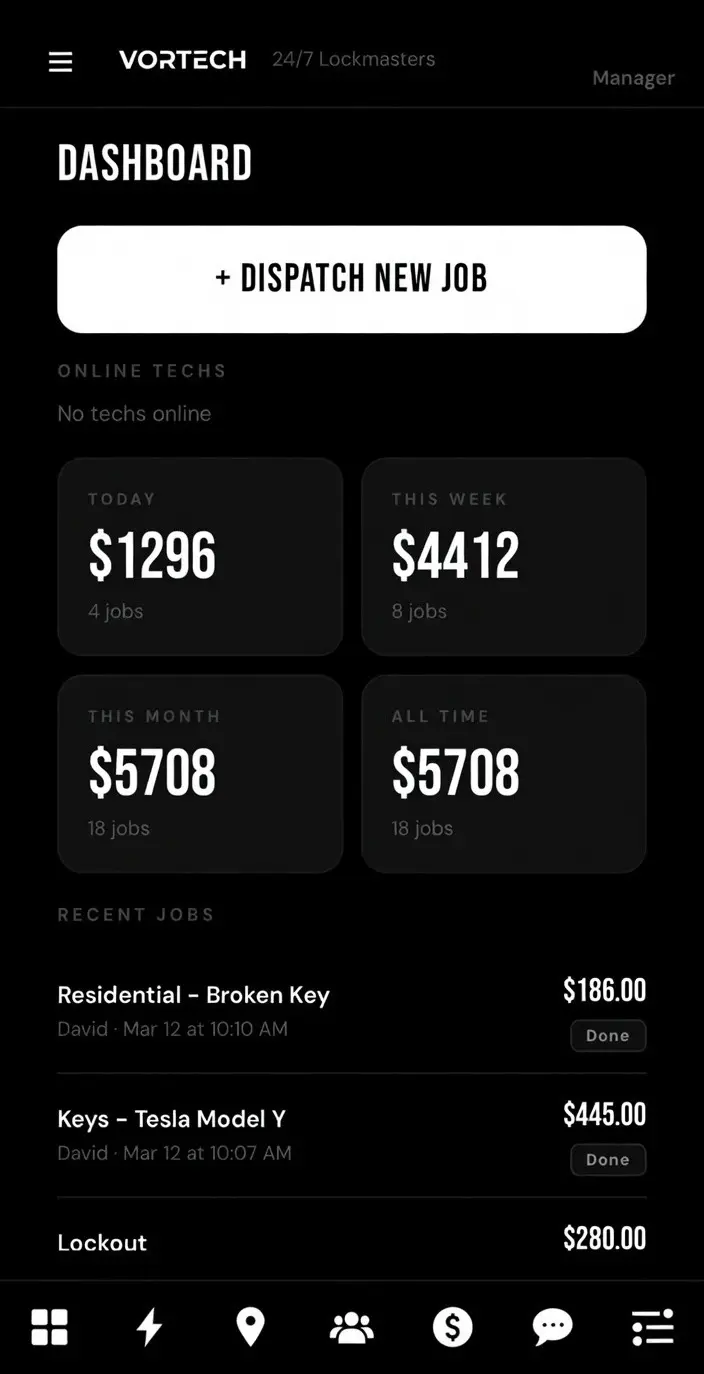
Office Dashboard — Your Command Center

The office dashboard gives you complete operational authority in one clean interface. Everything you need — in one place.

  • 📍 Live real-time map of your crew with pins
  • 💬 Direct chat with your technicians
  • 📢 Send announcements to your team
  • ⚙️ Easy dispatch control & job management
  • 🚫 Suspend, terminate, or reinstate technicians anytime
Vortech office dashboard — live map, dispatch control, technician management
Step 06

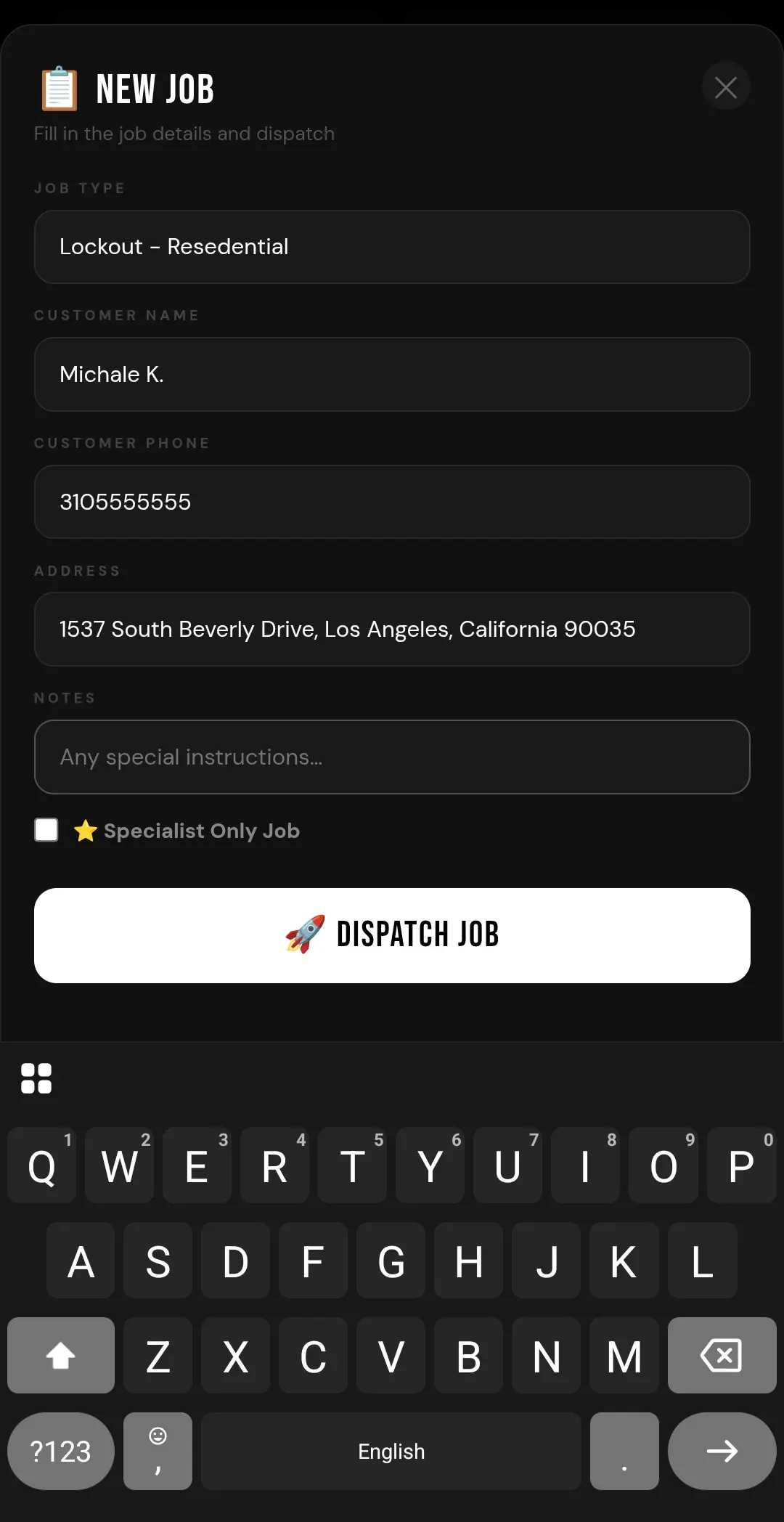
Lead Entry — Total Control Starts Here

The office receives a lead and enters it into the system. From that moment, smart dispatch logic takes over.

  • Enter customer name, address, service type
  • Select NOW for immediate action
  • Select SCHEDULED for a specific date & time
  • Add job notes or special instructions for your technician
  • Mark as "Specialist Only" if needed
  • Tap Dispatch and let the system work for you
Vortech office dispatch screen — lead entry, address, service type, specialist routing
Step 07

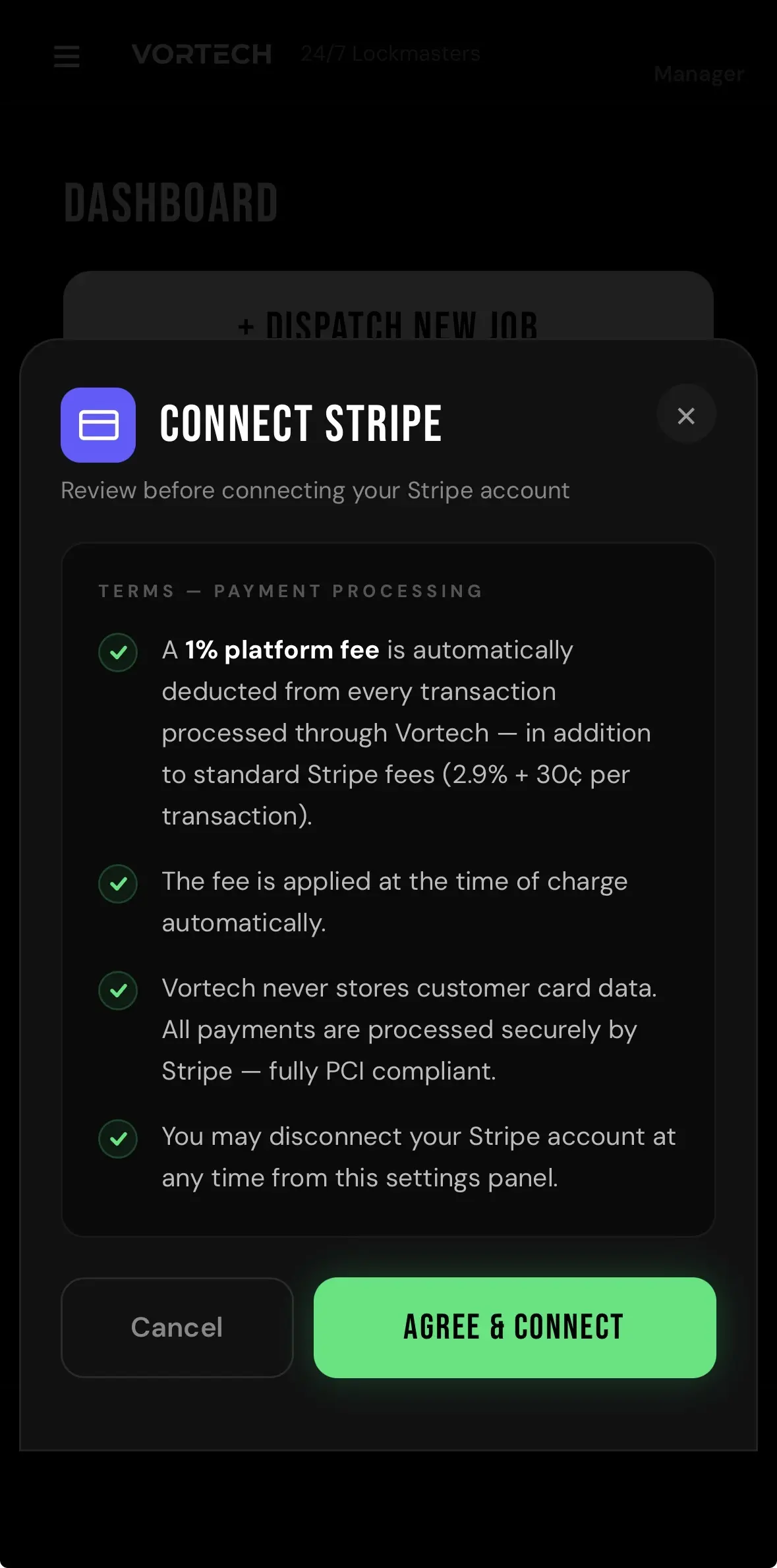
Connect Your Stripe — One-Time Setup

Before your first dispatch, connect your Stripe account from the office settings. Takes 60 seconds. Once it's done, your techs can charge customer credit cards in the field — funds go straight into your account.

  • Open the office menu and tap Connect Stripe
  • Agree to the payment processing terms
  • Authorize via Stripe — you're connected
  • Your techs can now accept card payments on every job
  • Vortech never holds or touches your money — it goes directly to you
  • You handle your own payroll, taxes, and payouts — you're the boss

Your Stripe. Your money. Your rules.

Vortech Stripe Connect setup — connect your Stripe account in one tap
Step 08

Reassignment — Stay Flexible

If a technician is delayed, cannot make it, or needs to drop the job, they can reassign the lead instantly.

  • Job returns to dispatch pool automatically
  • All available technicians get notified instantly
  • Redistributed based on your tier rules
  • Office can reassign any job at any time
  • Nothing gets stuck. Everything keeps moving.
Vortech job reassignment — automatic redistribution to available technicians
Step 09

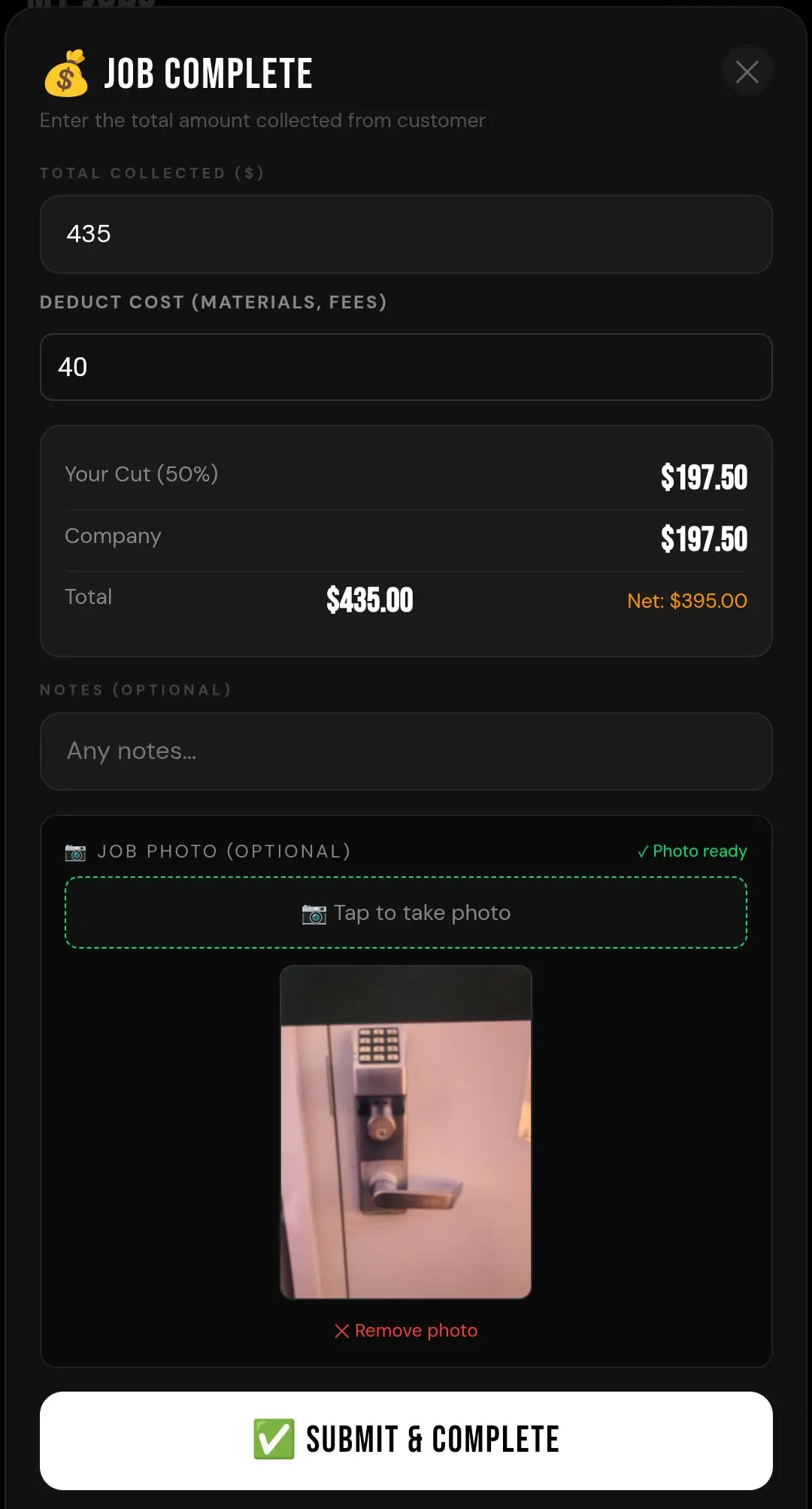
Job Completion & Automatic Revenue Split

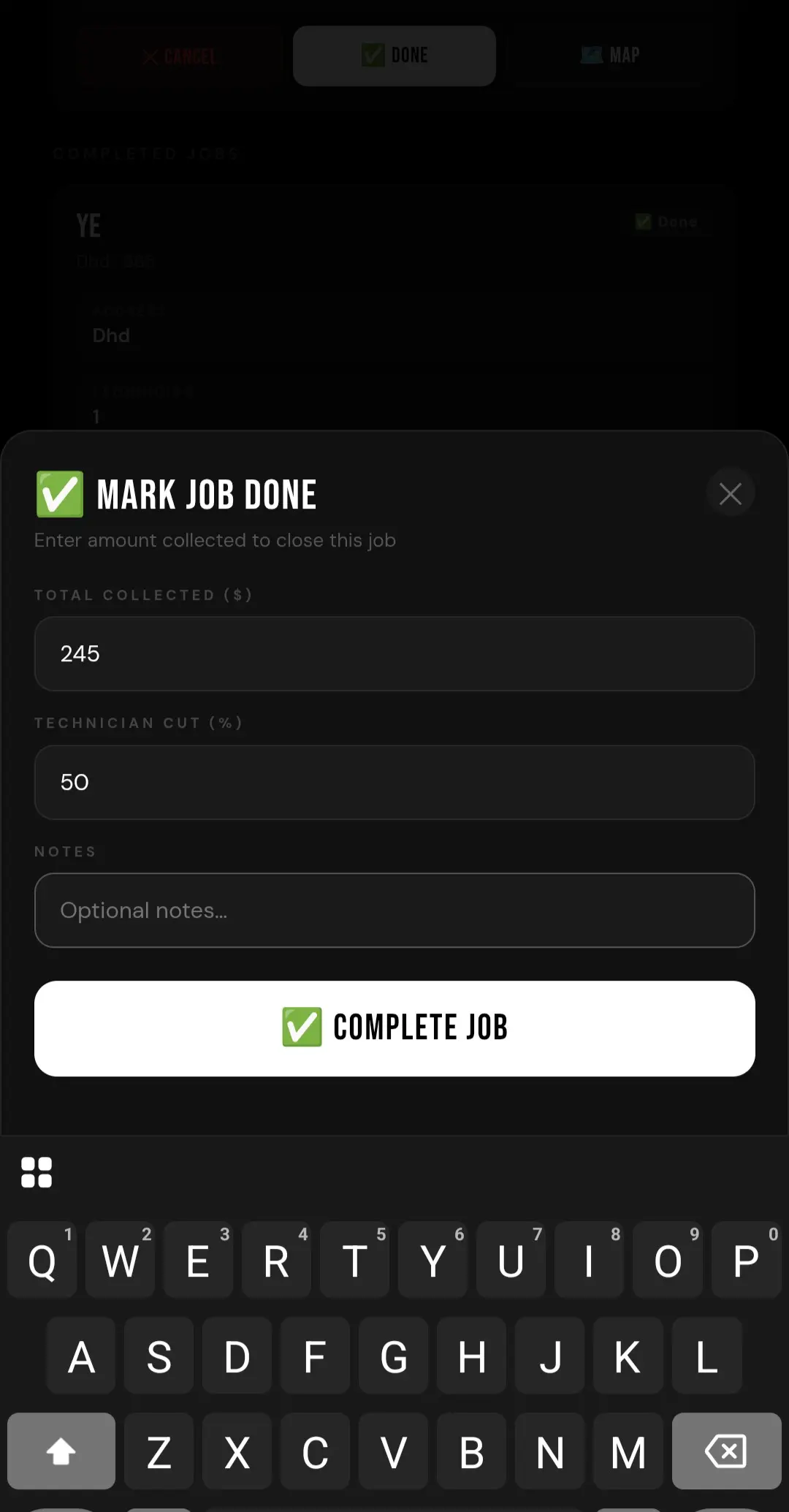
When the job is complete, the technician presses Done and enters the details.

  • Enter total amount collected from customer
  • Deduct material costs or job expenses before the split
  • System calculates the tech's cut based on their custom split percentage
  • Tech sees their share instantly — no surprises
  • Office sees the same breakdown on their dashboard
  • No spreadsheets. No manual math. No disputes.
Vortech job completion — automatic revenue split calculation for technicians
Step 10

Job Photo Documentation

Before submitting, the technician snaps a photo of the completed work.

  • One tap opens the camera directly from the app
  • Photo compresses automatically — no storage bloat
  • Office sees the photo on the completed job card instantly
  • Proof of work for every job — no he-said-she-said
  • Auto-deletes after 30 days to keep storage clean
Vortech job photo documentation — proof of completion uploaded instantly
Step 11

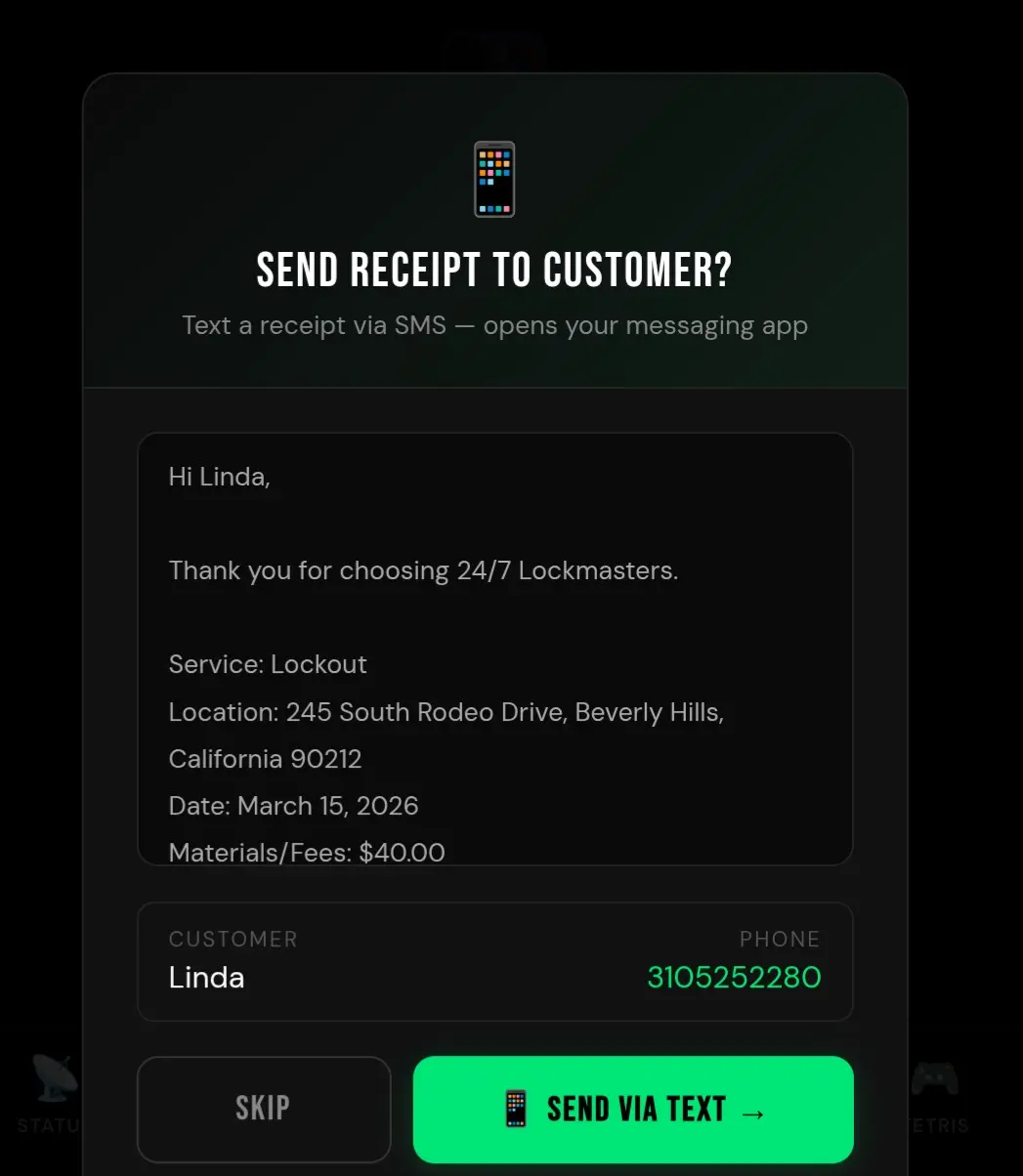
Text Receipt to Customer

After completing the job, the technician can send the customer a job summary via text — one tap.

  • Pre-filled with company name, service, address, and total
  • Customer's phone number auto-populated from the job
  • Opens the native SMS app — tech just hits send
  • Professional touch that builds trust and repeat business
  • Completely optional — tap Skip to move on
Vortech SMS receipt — technician sends job summary text to customer
Step 12

Weekly Earnings Lock — Clean Bookkeeping

Every Monday at 2:00 AM, the weekly earnings statement automatically closes.

  • Company owner reviews totals, pays technicians, then marks as PAID
  • Status turns green and shows as Paid
  • Technician sees the same update in their earnings statement
  • Full transparency. No confusion. No disputes.
Vortech weekly earnings lock — accounting dashboard with paid unpaid status
Step 13

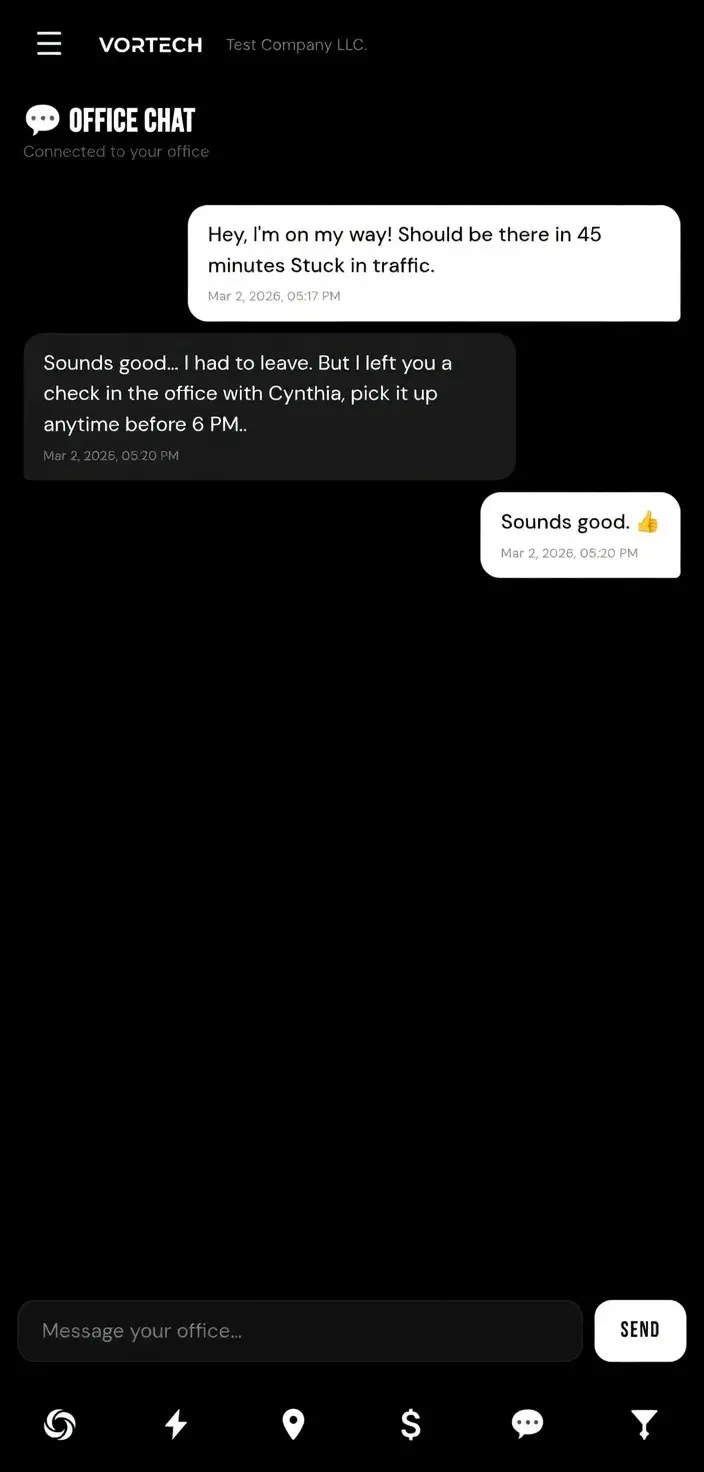
Real-Time Chat

Message your technicians instantly.

  • ✅ Keep everything in one place
  • 🚫 No phone tag
  • 🚫 No group texts
  • 🚫 No third party apps

Every conversation lives inside the platform.

Vortech real-time chat — office to technician messaging inside the platform
Step 14

Gamification — Boost Morale

Inside your branded app, technicians can engage with fun features that build culture.

🎮

Tetris Mini-Game

Technicians can play Tetris during downtime. Compete on your internal leaderboard and build healthy competition.

Vortech gamification — Tetris leaderboard for technician engagement
Step 15

Smart Logic = More Profit

Our software is built with intelligent dispatch logic designed to:

  • ✅ Increase response rates
  • ✅ Reduce technician downtime
  • ✅ Reduce company's overhead
  • ✅ Improve job distribution efficiency
  • ✅ Maximize company earnings

This system is designed to help you make more money and gets smarter as you use it.

Vortech smart dispatch logic — automated routing for maximum profit
Step 16

Subscription Promise

We believe in transparent, growth-aligned pricing.

  • ✅ Office + Technician App included
  • ✅ All features are always included
  • ✅ Upgrades are always at no charge
  • 🚫 No hidden fees
  • 🚫 No nickel-and-diming

You can just focus on growth.

Vortech subscription — office and technician app included in one plan
Simple Pricing.
Scale with Ease.

No contracts. No per-job fees. No revenue share. Just under $20 per month per technician. Cancel anytime.

30 DAYS FREE
STANDARD PLAN
$99/mo
+$20/mo for each additional technician
  • Up to 5 technicians included
  • Full access to all platform features
  • Tiered dispatching (Platinum / Gold / Silver)
  • NOW dispatch and scheduled jobs
  • Live GPS tracking
  • Automated revenue splits with deduct costs
  • In-field card payments via Stripe Connect
  • Job photo documentation
  • Comprehensive accounting with CSV export
  • Real-time office-to-tech chat
  • Free customer support
  • No contracts — cancel anytime
START FREE TRIAL →

Ready to Take Control?

Set up your dispatch system in under 2 minutes. 30 days free — no commitment, no risk. Your first step toward running a smarter operation starts here.

Create Your Account →

30-day free trial included. Cancel anytime.